What Will It Look Like Ironed? Preview Before You Commit
The cruelest thing about ironing perler beads: there is no undo key. A misplaced bead can be picked out; a bad iron pass cannot be un-ironed.
Does this sound like you
- Small pieces you iron without thinking; large ones you hesitate over, afraid one slip wastes everything;
- While building, you keep guessing "will it look good ironed?" — you wish you could see it first;
- Only after ironing do you notice the colors went dark or the surface too shiny, and regret changes nothing;
- Or you never wanted the iron at all: no iron at home, afraid of the smell, dorm rules — you just want a finished piece.
That "wait and see" anxiety is what really kills large projects.
What if you could see the ironed result before committing
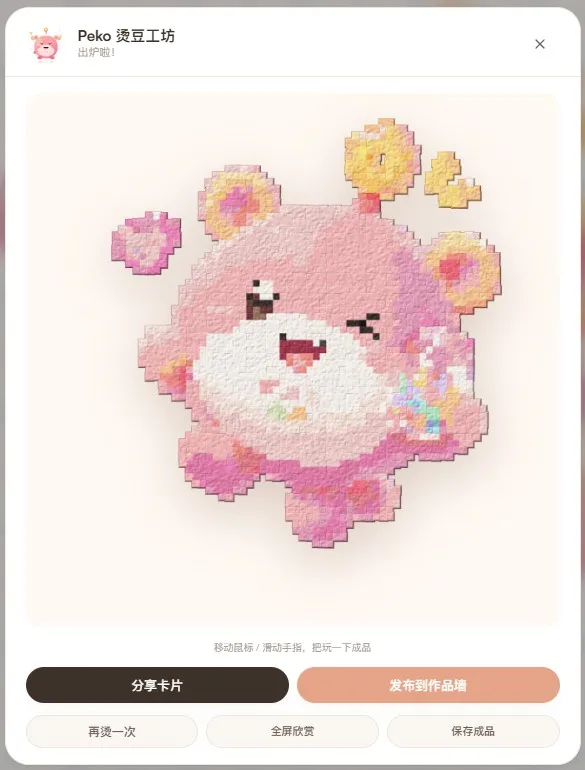
That is exactly what Peko's Iron Studio does: finish building, pick a texture, and see the "ironed" finished piece immediately, without touching an iron. Like it? Then iron for real. Not like it? Switch texture or adjust colors — at zero cost.
It turns an irreversible gamble into a choice you can preview.
See first, iron second: four steps
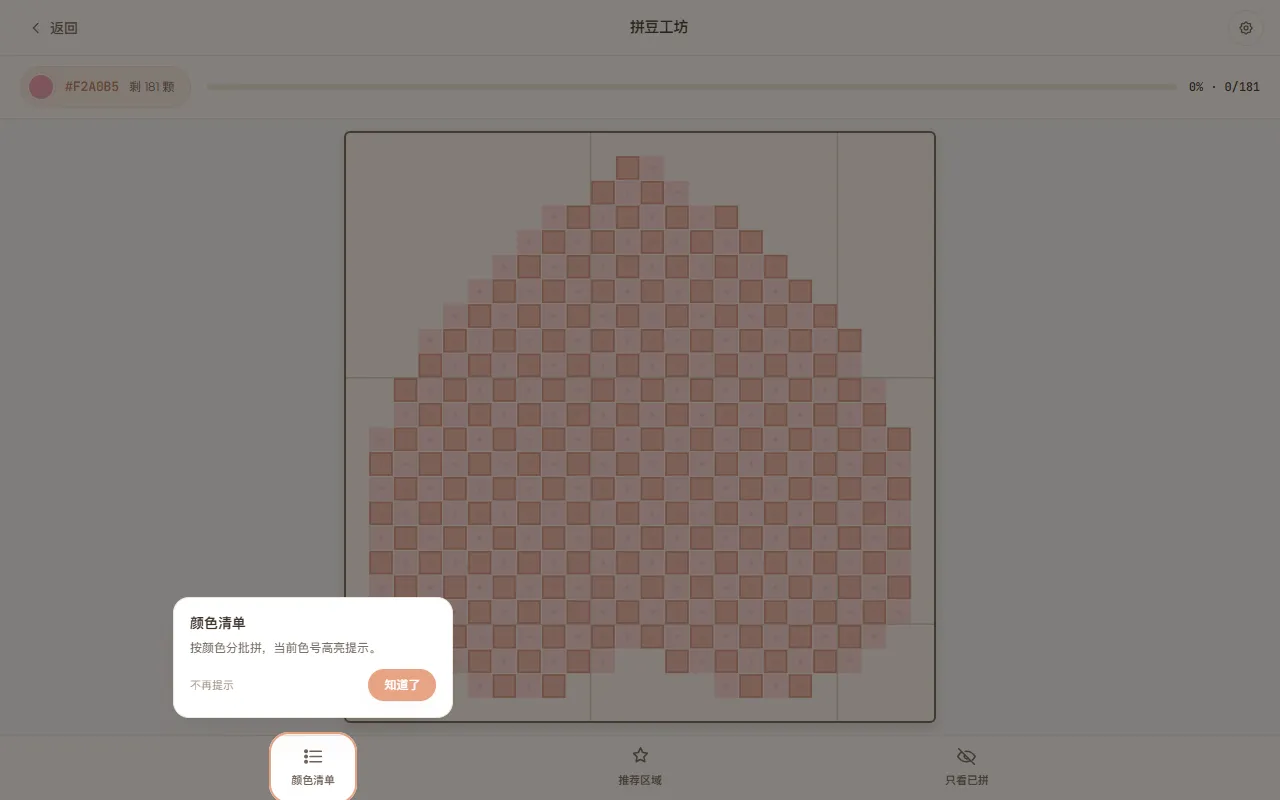
- Finish a piece and open the Iron Studio;
- Pick a texture — the finished piece appears right away;
- Tilt and turn it to check how it reads from different angles;
- Happy? Export the finished image, and only then iron for real.
12 textures, but watch only two things
Standard, towel, felt, velvet, Glitter… switch through all 12 and compare. Do not drown in options; watch two things:
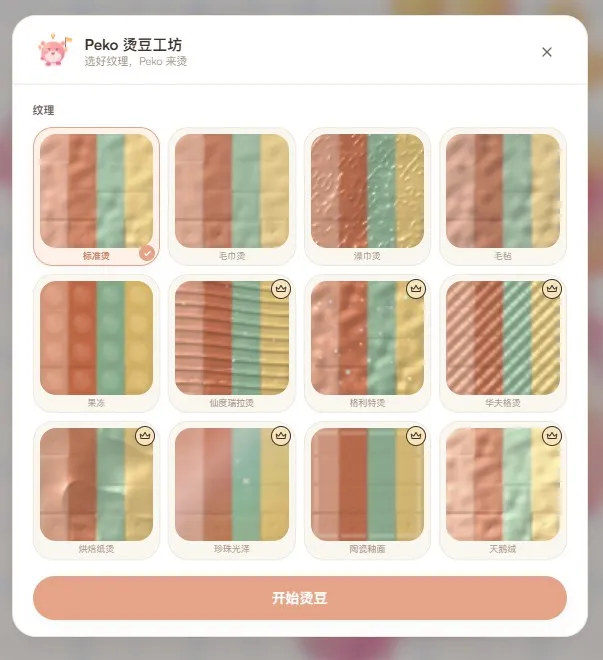
- Will the colors read dark — the most common post-ironing regret;
- Which ironing-cloth texture fits — one look at the finished effect settles it.
Get those two right and the piece rarely disappoints. Same pattern in Glitter, and the sparkle difference is obvious at a glance:
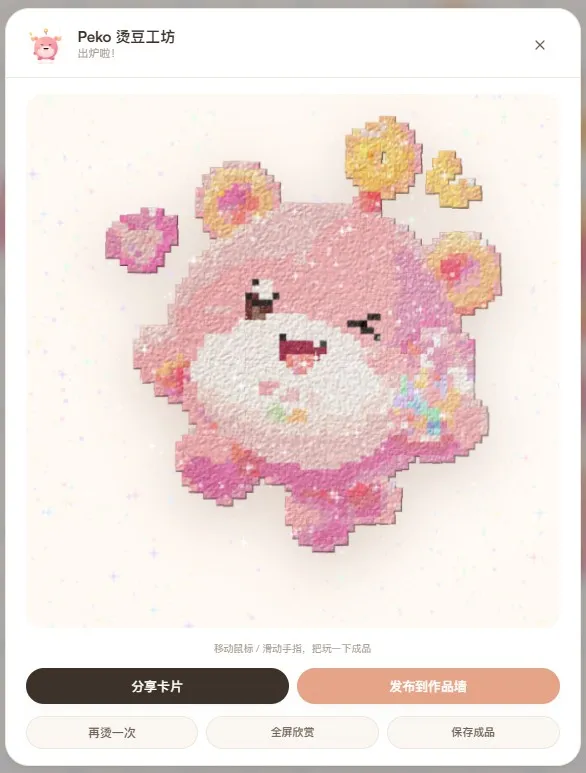
The 7 crowned textures are member-only; the free plan includes 5. Previewing itself costs nothing.
Do not want to iron at all? Finish online
Not everyone wants an iron. Some have none, some fear the smell or the heat, some live in dorms or rentals where it is impractical — or simply want a finished image to share.
For them the Iron Studio is not a preview but a finish: pick a texture → see the piece → export and share, never touching an iron. The fun of perler beads is in the building; ironing is just setting. If setting can happen online, why not.
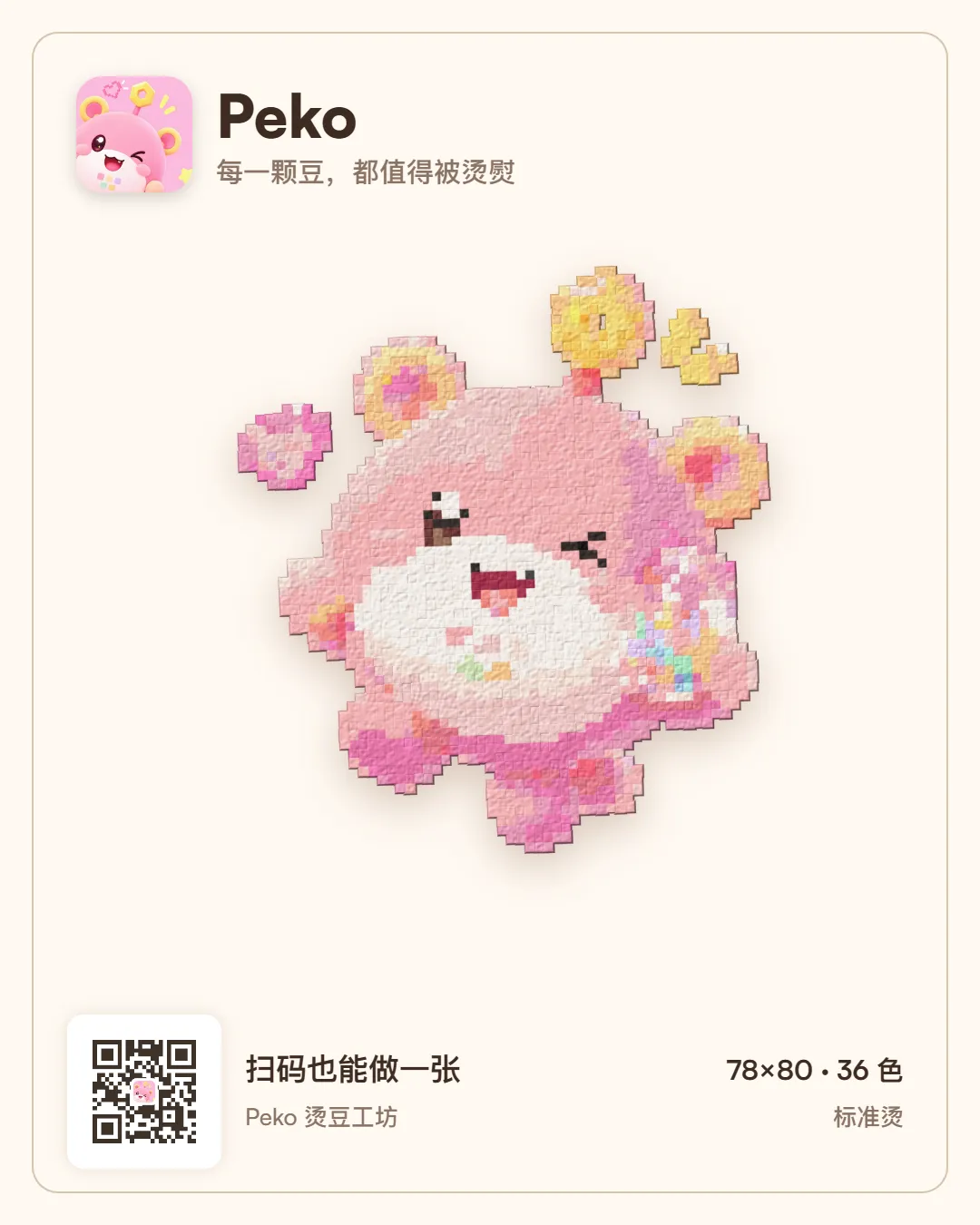
What you get is a digital finished piece — enough for sharing, admiring, or an avatar. Only a physical object in your hand requires real ironing. The exported share card looks like this, and anyone who scans it can make one too:
Stated plainly: it is not a photograph of the real object
The preview simulates gloss and texture tendency; the real piece will differ slightly, and what you iron is what counts. Its value is ruling out effects you clearly do not want in advance, not guaranteeing a pixel-perfect match. Before real ironing, still test temperature on a few spare beads (see ironing temperature and time).
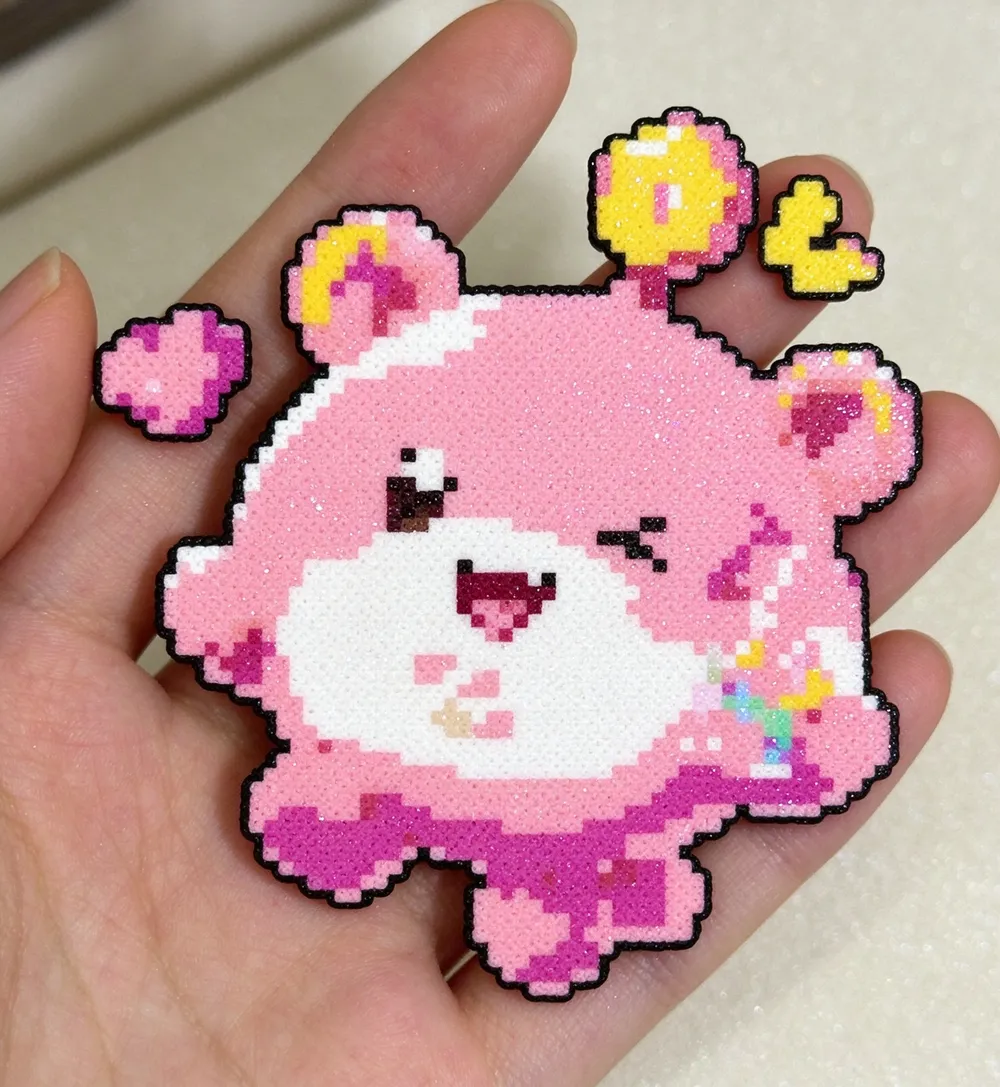
Here is the real object: the same pattern, actually ironed with Glitter. The direction matches the preview; the fine sparkle and the in-hand dimension still belong to the real piece.
FAQ
Does it cost money? Previewing is free with 5 textures; the 7 crowned ones need membership. Exported finished images carry a watermark on the free plan; members export without one.
Identical to the real thing? Very close, not identical. Use it to judge direction; the physical piece is the final word.
Can I export and share? Yes — save the finished image and post it anywhere.
Can I skip real ironing? Yes. Pick a texture online, get the finished piece, export and share — no iron involved. Only a physical object needs real ironing.
Does it work on phones? Phone, tablet, computer — any browser.
Next step
Open the Peko editor, build a piece, and enter the Iron Studio: ironing for real? Preview first. Not ironing? Finish online and share. Stop betting three hours of work on a result you have never seen.